


The next3/next1 is a connected device, to ensure the security and to have access to all the latest functionalities of your system please keep your system up to date. It is mandatory to update your device.
The updating process can take between 3 and 15 minutes. NEVER disconnect the battery during an update. During this process, the installation will be stopped and a brief power cut may occur. Please ensure that, when carrying out an update, to bypass the installation (if you have one) or to switch off any very sensitive appliances (heat pumps, computer servers, lifts, etc.) Choose the proper moment to process an update.
Please note that if your device is not connected to the internet, you must follow the procedure set out at https://technext3.studer-innotec.com/latest-updates. If it is not the case, you can continue to follow this FAQ.
Simply, follow the pictures to update your next device:
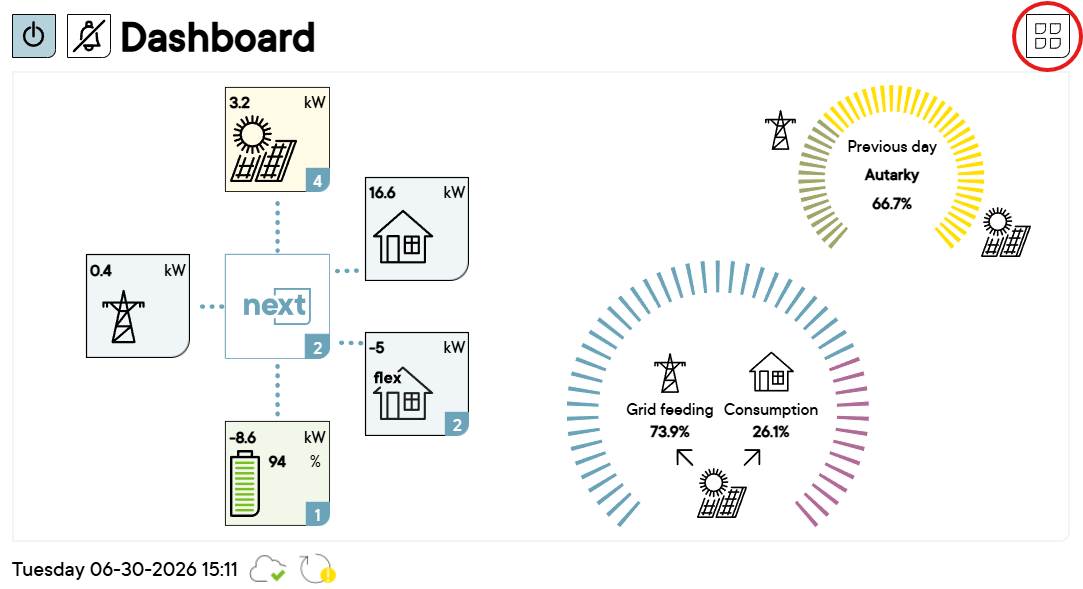
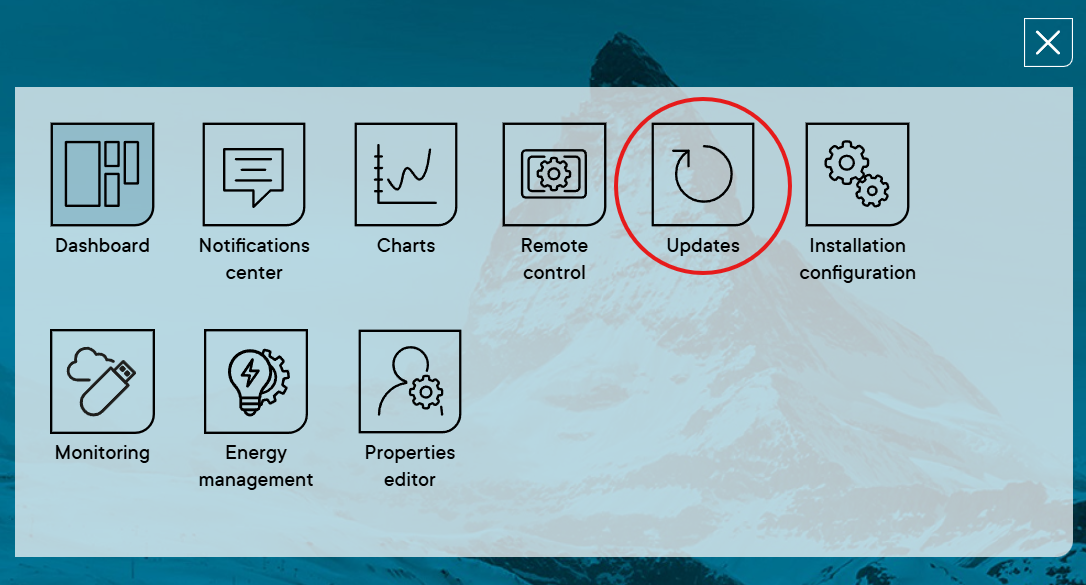

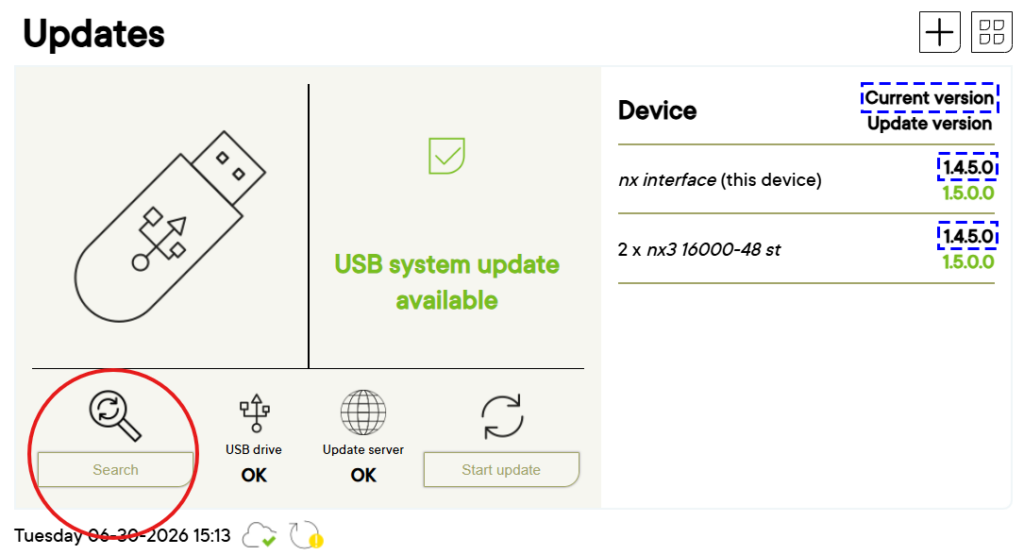
Please note that if your device is running a version earlier than 1.3.0.0, you must follow the procedure set out at https://technext3.studer-innotec.com/latest-updates. If it is not the case, you can follow this FAQ. You can view the current version of your system in the ‘Update’ tab.
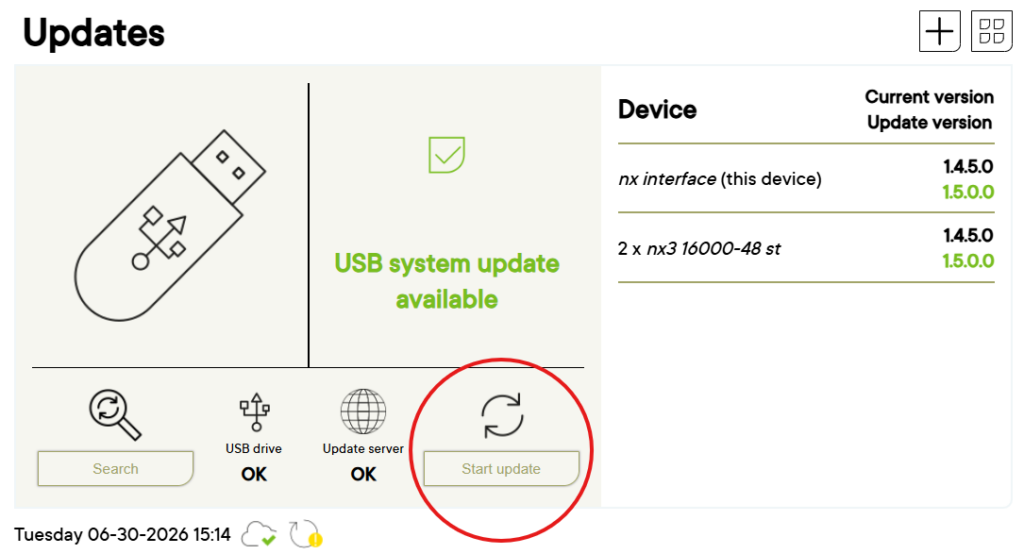
Your system will start updating as soon as you click ‘Start Update’
The update message or update icon on the Studer monitoring app and the web portal may take up to 24 hours to disappear.